1Open the booking page
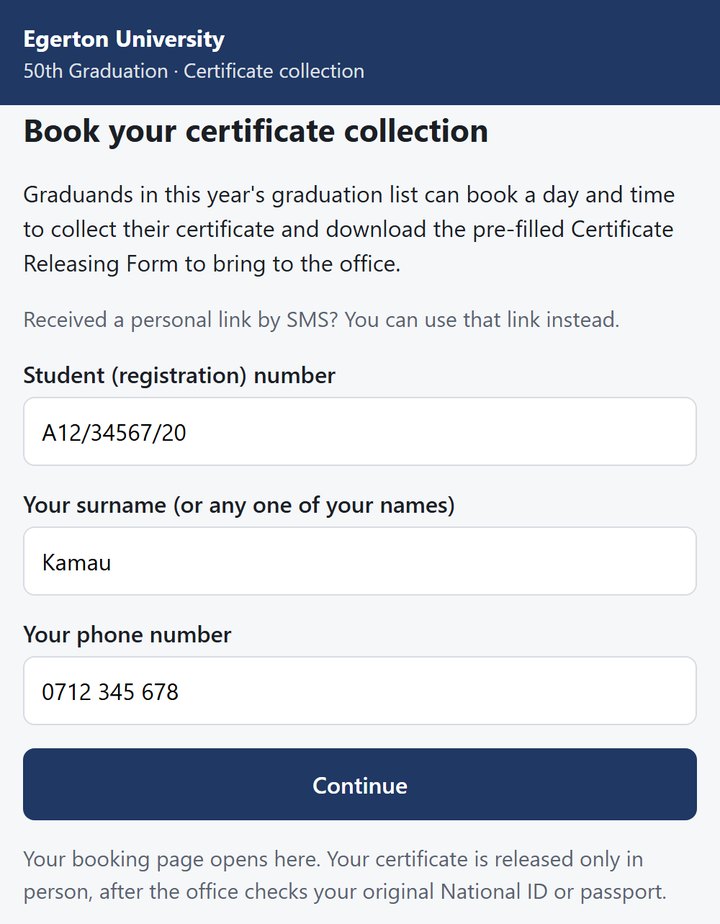
Open selfcare.egerton.ac.ke/grad, or the link shared by the university on its website, Facebook, WhatsApp or Instagram.
- Type your student (registration) number, e.g. A12/34567/20, with the slashes.
- Type your surname, or any one of your names.
- Type your phone number.
- Tap Continue.
2Save your phone and email
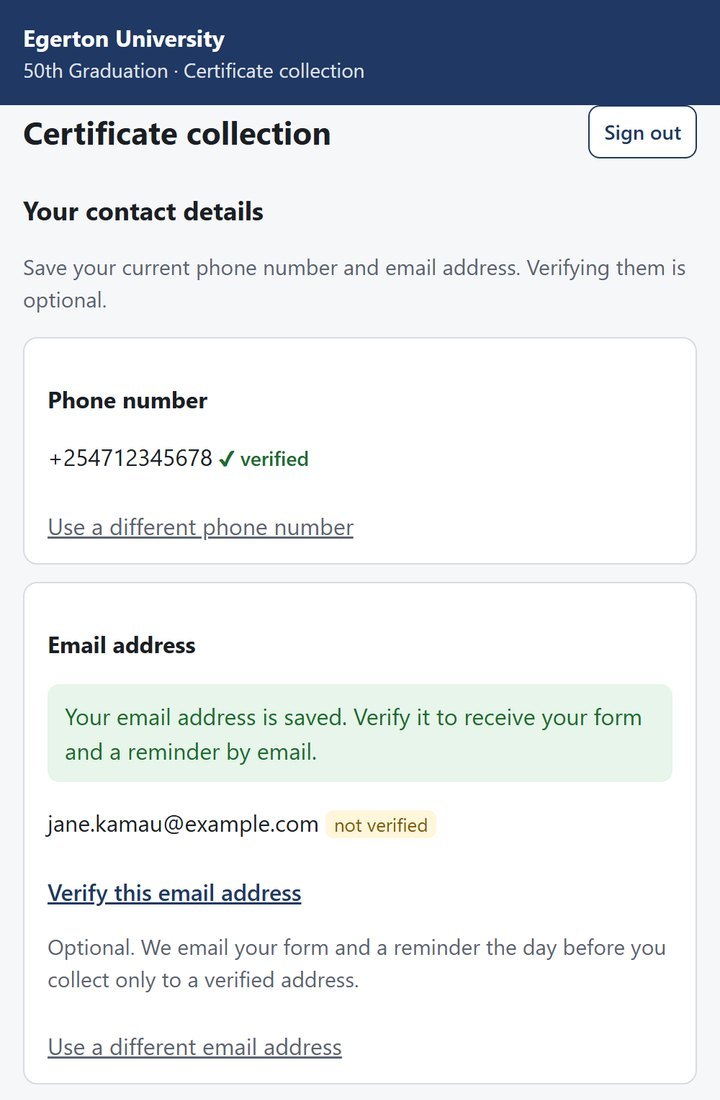
Type your current phone number and email address and tap Save. That is all you need to continue.
- Phone: if it already shows ✔ verified, there is nothing to do.
- Verifying is optional. Under a saved email you see Verify this email address. Tap it to get a 6-digit code by email, then type the code and tap Verify. Check your spam or junk folder if it has not arrived. Some phone numbers can be verified the same way by SMS.
- Changed your mind? Tap Not now – keep it unverified.
3Choose your day and fill in the form
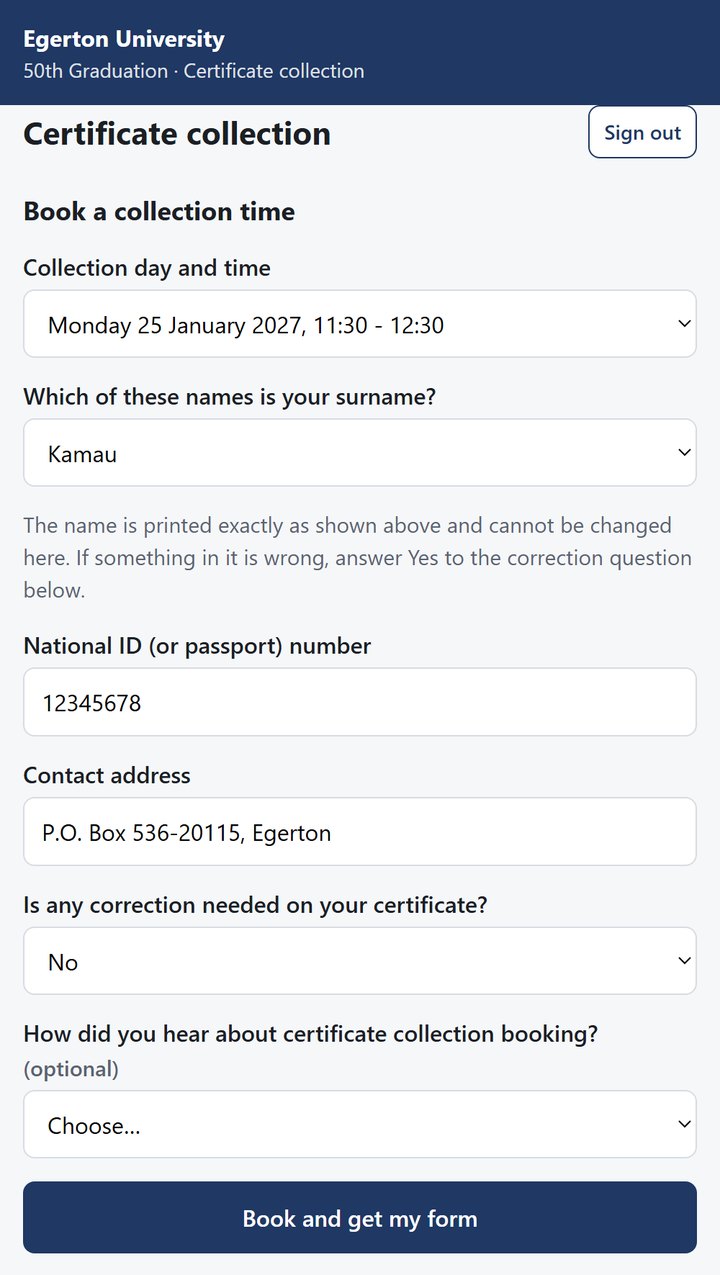
- Collection day and time: you only see the days set for your programme. If none show yet, check again later.
- Surname: choose which of your printed names is your surname. The name itself cannot be changed here.
- National ID or passport number, and your contact address if you wish (optional).
- Correction needed? Choose No, or choose Yes: two more questions appear. Pick what is wrong (name order, missing name, spelling, student number, programme or classification) and type how it should be.
Tap Book and get my form.
4Check your booking and download the form
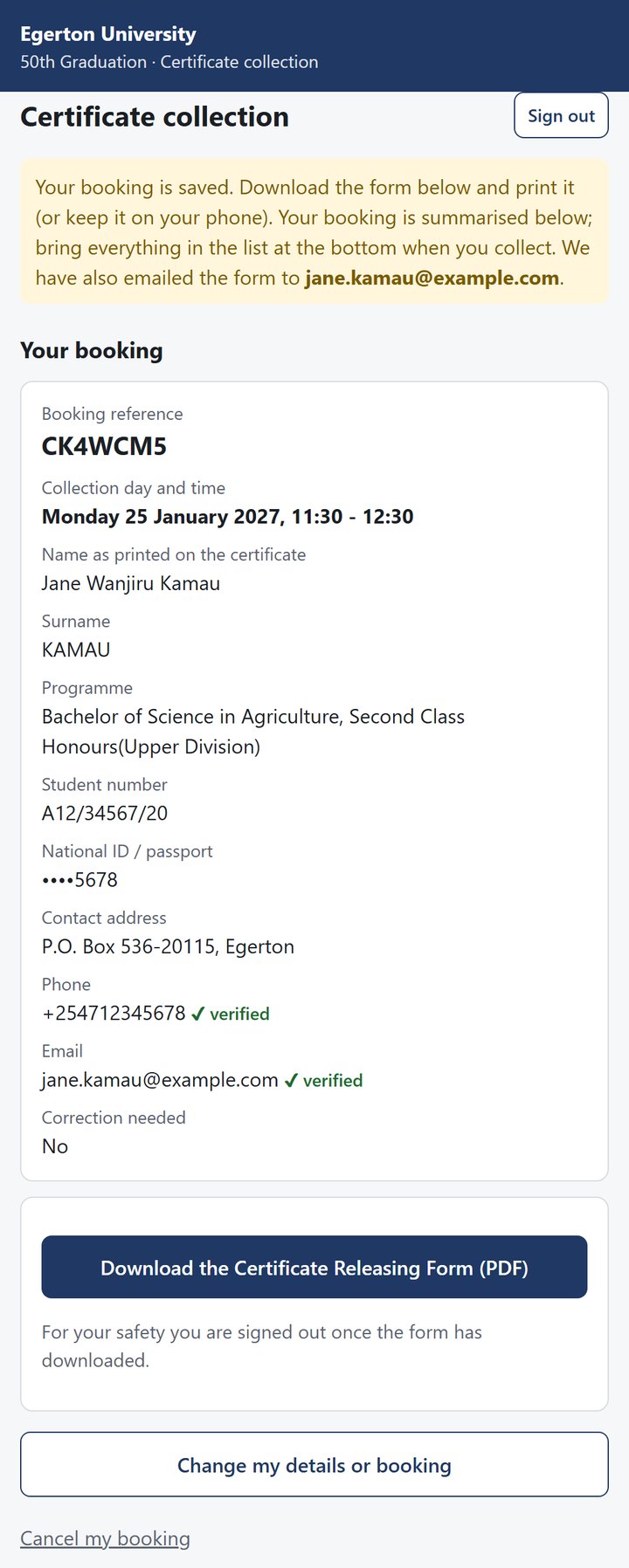
You now see a summary of your booking: your booking reference, the day and time, and your details. Your ID number is shown only as its last four digits.
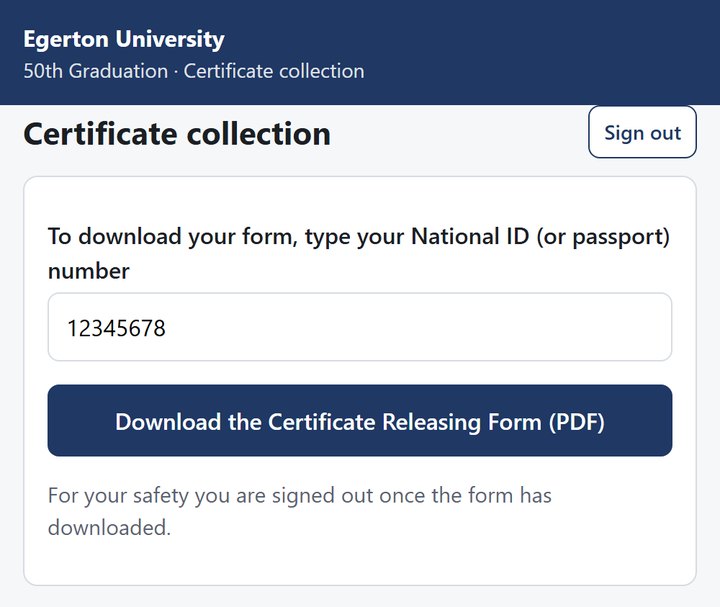
- Tap Download the Certificate Releasing Form (PDF). Print it, or keep it on your phone.
- If your email is verified, the form is also emailed to you.
- To change anything, tap Change my details or booking. You can change or cancel until your time starts.
- For your safety you are signed out once the form has downloaded, and after 15 minutes without activity.
5Coming back later
Open the same address again and enter your student number and a name. To download your form again, type your National ID or passport number, the same one you gave when booking.
6Your Certificate Releasing Form
The form (EU/AR&E/FM/18A) is filled in with your details, your booking and a QR code. Leave the signature, date and the collected boxes empty: you complete them at the counter.
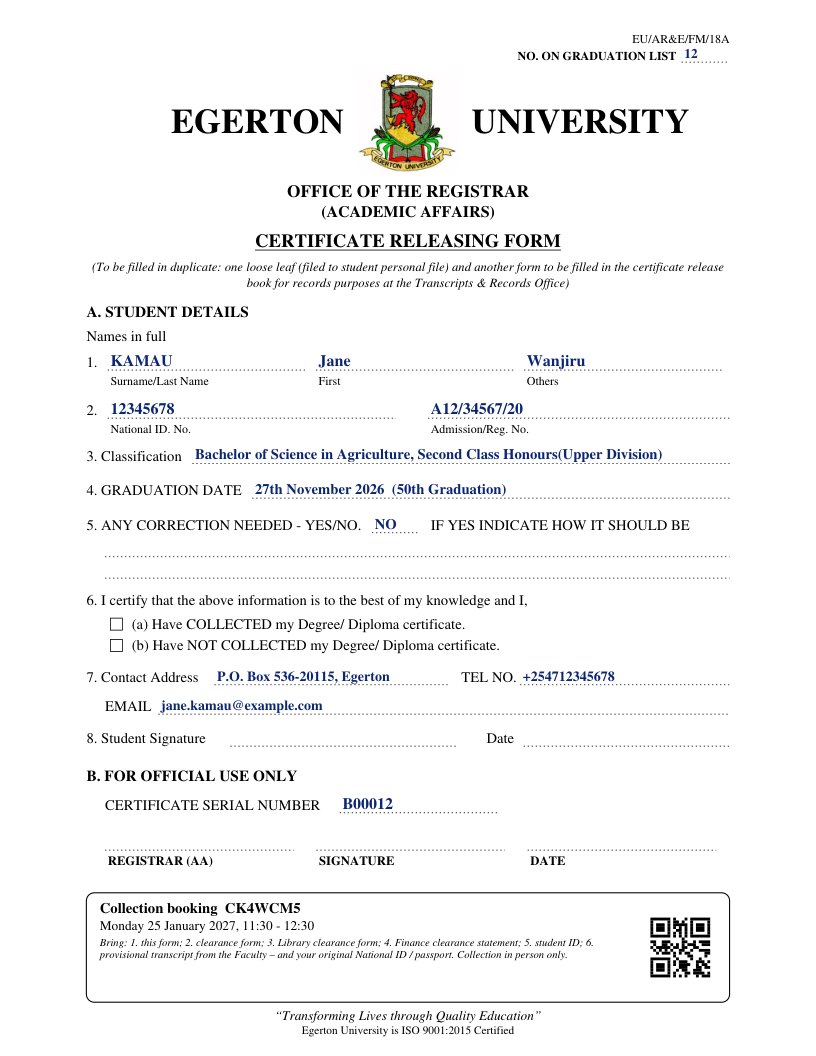
7On your collection day, bring
- The Certificate Releasing Form downloaded from this portal
- Clearance form
- Clearance form from the Library
- Clearance statement from Finance
- Student ID
- Provisional transcript from the Faculty
The office also checks your original National ID or passport. Collection is in person only.
Questions
- My student number is not accepted.
- Type it with the slashes, as on your student ID (for example A12/34567/20). If it still fails, use Contact the records office.
- It says the dates for my programme have not been opened.
- Your collection days are not open yet. Check again in a few days.
- My name, programme or classification is wrong.
- Book as normal and answer Yes to the correction question, then drop the signed form at the Records office.
- I cannot come on the day I booked.
- Open the page again, tap “Change my details or booking” and choose another time, or cancel the booking.